
Trading services
In this chapter
For now, Rithmic is the only trading service Omacharts supports.
Trading is experimental (Beta). It places real orders on real accounts, and nothing asks before an order is sent. Try it on a demo or evaluation account first.
Rithmic
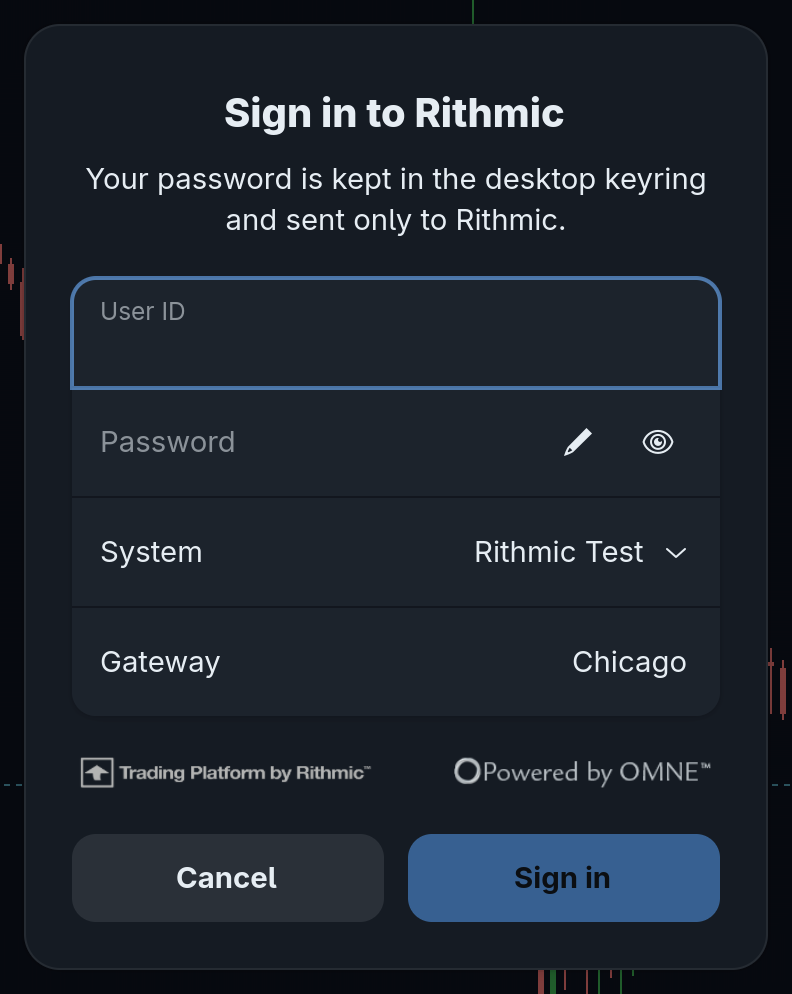
In Preferences › Trading, press Add a trading service… and choose Rithmic. Until Rithmic is a data feed, Add a data feed… on the Data page offers it too, and opens the same dialog.
| Field | What goes in it |
|---|---|
| User ID | The user your broker or prop firm gave you. Sign in stays greyed out until it is filled in |
| Password | Kept in the desktop keyring and sent only to Rithmic. Left empty when signing in again, the kept one is used |
| System | Rithmic Test, Rithmic 01, Rithmic Paper Trading, then the prop firms Rithmic lists, alphabetically. Type to search. Until Omacharts has asked Rithmic for its list, only those three are offered. It asks again when the dialog opens on a list a week old |
| Gateway | The server nearest you: Chicago, New York, Colo75, Frankfurt, Ireland, Sydney, São Paulo, Hong Kong, Mumbai, Seoul, Tokyo, Singapore or Cape Town. Rithmic Test has only Chicago |
The login is named after its system, such as Rithmic Paper Trading, and Rithmic Paper Trading 2 for a second one. It signs in as soon as you press Sign in, and again each time Omacharts starts while its password is kept. The Log says Signed in · 3 accounts, or why not.
A Rithmic login also carries market data. Each login becomes a data feed of its own in Preferences › Data, named after it, such as Rithmic (Rithmic Paper Trading); the first login’s goes at the top, so charts of what it trades come from it (Market data feeds). A chart given an account of another login switches to that login’s feed, when it offers the symbol.
Most futures prop firms run their accounts on Rithmic. Choose yours under System and sign in with the user it gave you.
Logins and accounts
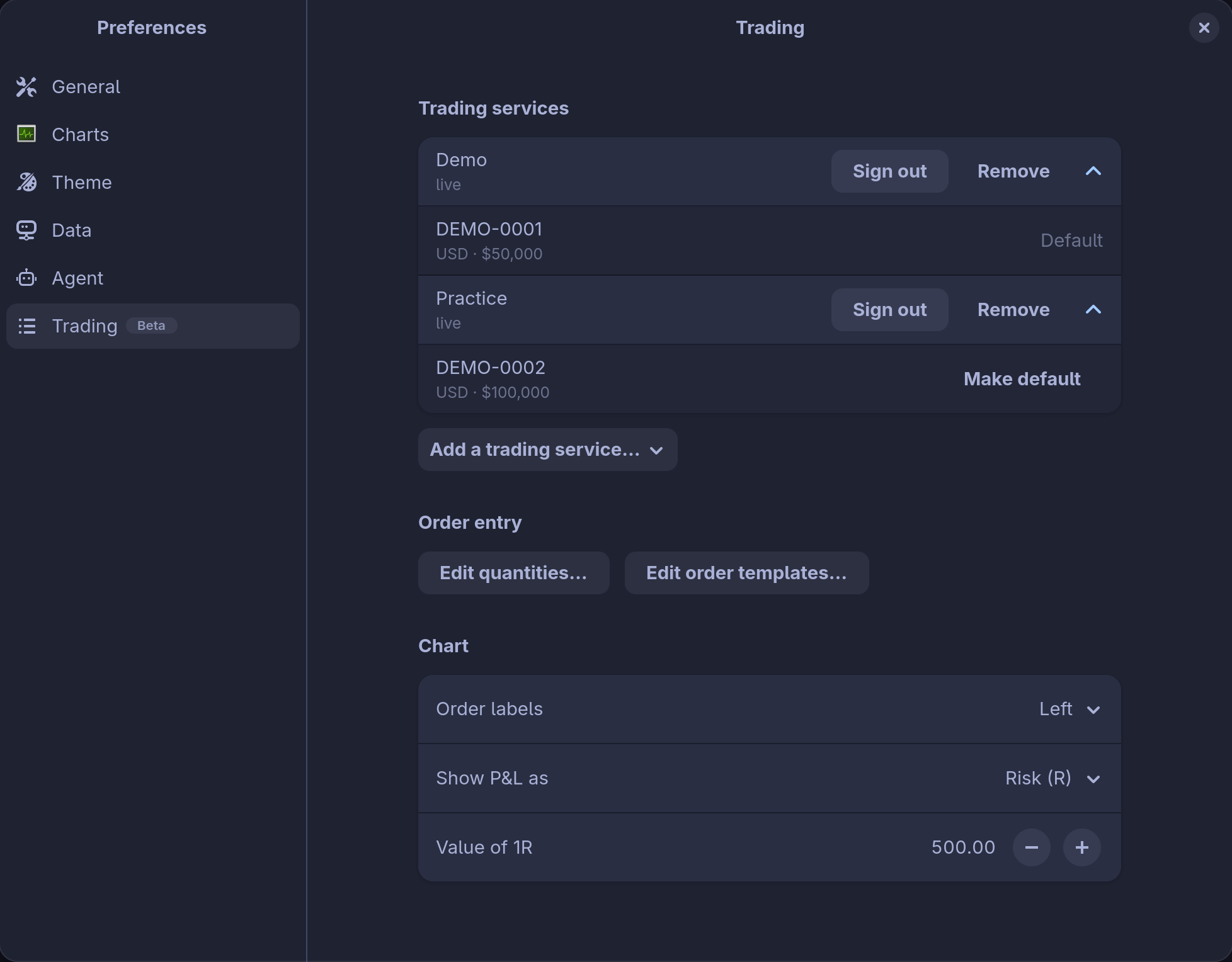
Each login is a row in Preferences › Trading › Trading services, with its system and how it stands: signing in, live, not signed in, or Rithmic’s own words when it refused.
| Button | Does |
|---|---|
| Sign out | Ends the session and forgets the password. The login stays, as not signed in |
| Sign in | Signs in again with the kept password |
| Sign in… | Opens the dialog again, filled in but for the password |
| Remove | Removes the login, its password, its accounts and its data feed, after asking |
Under each login are its accounts, each with its currency and balance. One account is the Default: a chart trades on it until you give the chart one of its own. Make default on another moves it.
Orders and P&L on charts
The rest of Preferences › Trading sets how charts trade and what they show.
| Row | Does |
|---|---|
| Order entry › Edit quantities… | The quantities a chart’s Qty offers (Quantities) |
| Chart › Order labels | Whether the labels of orders and positions sit at the Left or the Right of the chart |
| Chart › Show P&L as | Money, or Risk (R): multiples of what one unit of risk is worth. Only what the charts show follows it; the Trading panel always shows money |
| Chart › Value of 1R | What 1R is worth, in the account’s currency: P&L shown in R, and an order template’s exits in R, count from it. 500 until changed, and never blank |
The colours of orders, positions and P&L are in Preferences › Theme › Trading, on a theme of your own (Themes and colours).
From the CLI
omacharts trading logins, login rithmic, sign-in, sign-out, remove, data, accounts and default do the same from a terminal. A password is only ever typed in the window’s dialog (The CLI › Trading).
See also
Trading Platform by Rithmic™ is a trademark of Rithmic, LLC. Powered by OMNE™ is a trademark of Omnesys, LLC and Omnesys Technologies, Inc.