
Fib retracement
In this chapter
A level at each Fibonacci ratio between two prices: 0%, 23.6%, 38.2%, 50%, 61.8%, 78.6% and 100%, across the time between the two points.
| Key | Placing it | CLI |
|---|---|---|
| Alt + F | Press where the swing starts, drag, and release where it ends | fib, fibonacci, retracement |
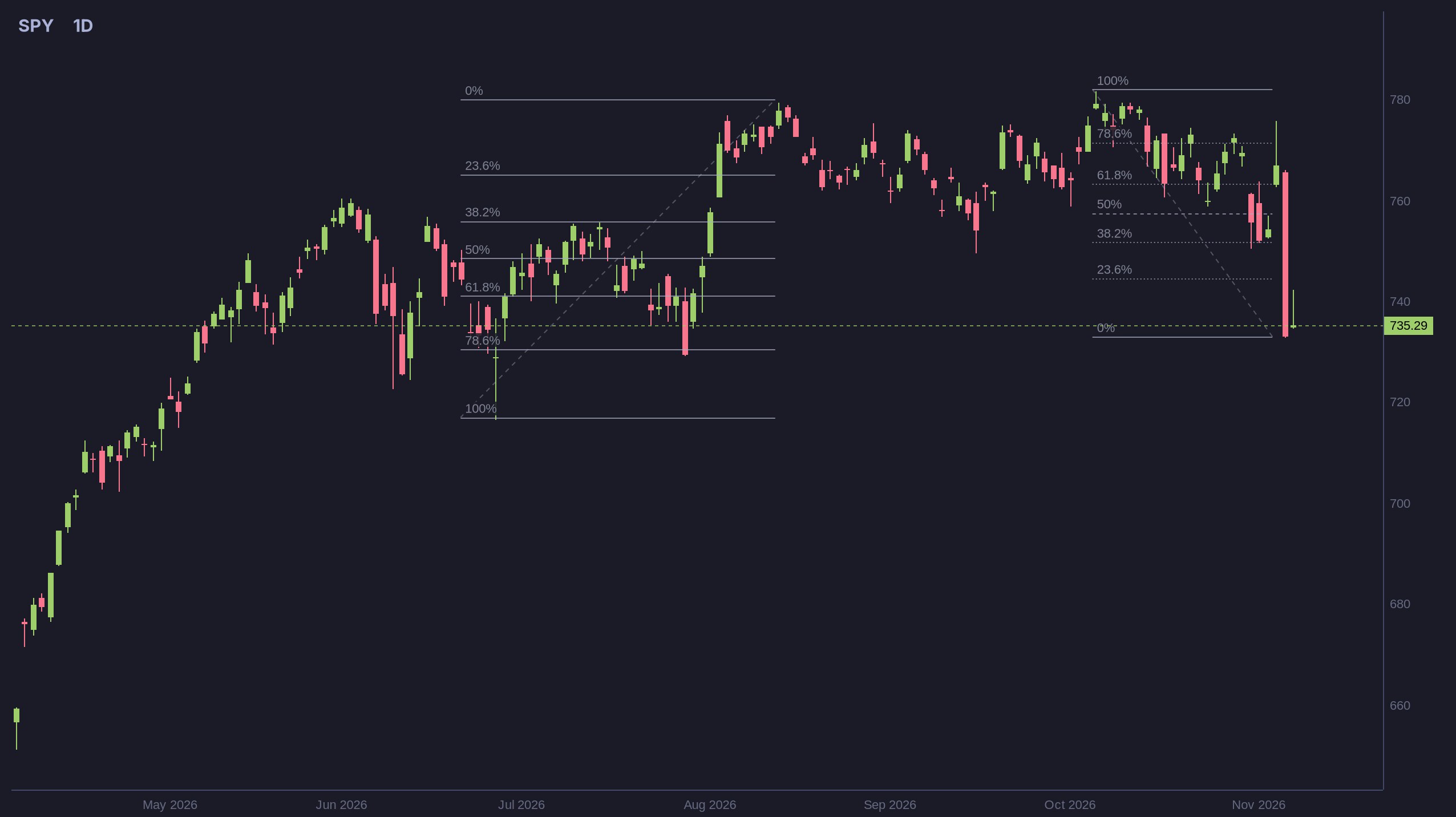
0% is where you released and 100% where you pressed, so 61.8% is how far a move has come back once it has given up 61.8% of the swing. Drag up from a low to a high for the pullback from that high, or down from a high to a low for the bounce from that low.
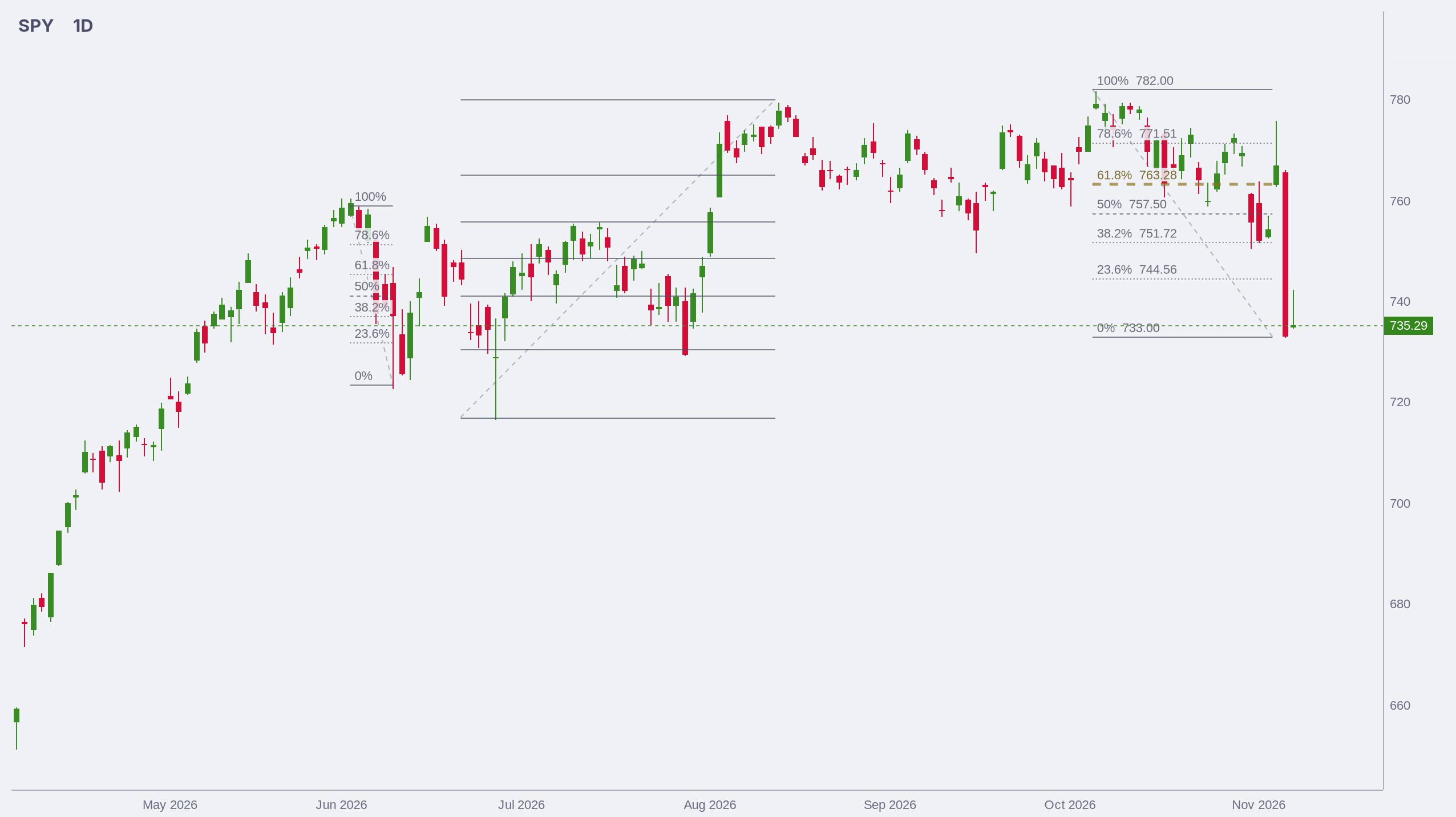
A dashed line joins the two points, and each level is labelled at its left end with its ratio, as a percentage. Price labels adds the price beside it. Every level is the drawing’s one colour unless you give it one of its own.
Selected, it has a grip at each end. Drag a grip to move that end, or the levels or the dashed line to move the whole drawing. The arrow keys nudge it. It takes no text. A press between two levels goes to the chart under it.
Properties
Alt + Enter or a double-click on a level opens them. Defaults are those of configuration 1 as shipped, with the other configurations’ differences under Configurations.
| Property | What it does | Default |
|---|---|---|
| Colour | The colour of every level that has none of its own: one of the nine presets, which change with the theme, or Custom… for a hex colour. Changing it recolours all of those levels at once. Its Opacity is how solid they are drawn, and the dashed line joining the points with them | Ink, at 70% |
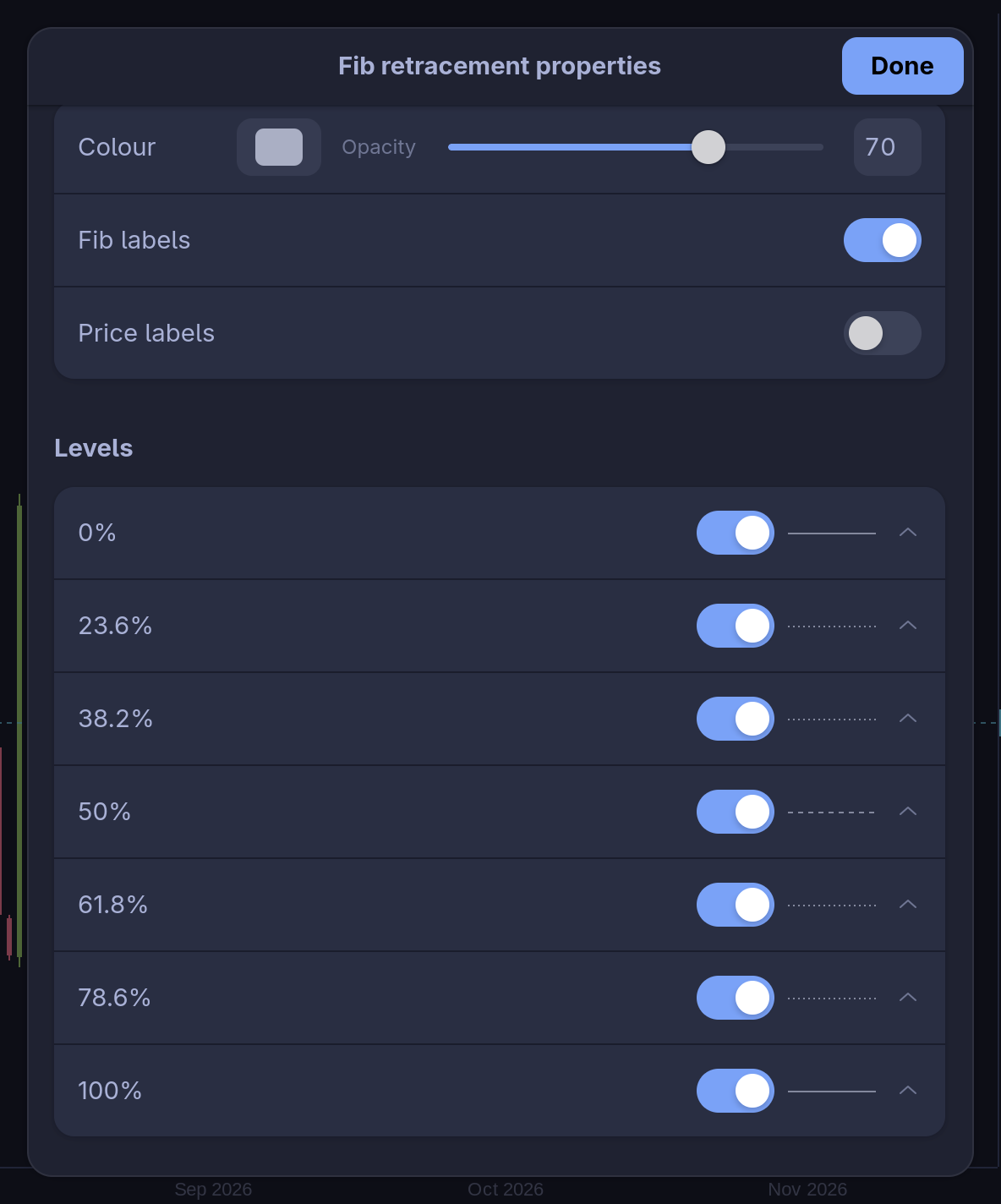
| Fib labels | Writes each level’s ratio at its left end, as 61.8% | On |
| Price labels | Writes each level’s price at its left end, after the ratio when both are on | Off |
Levels
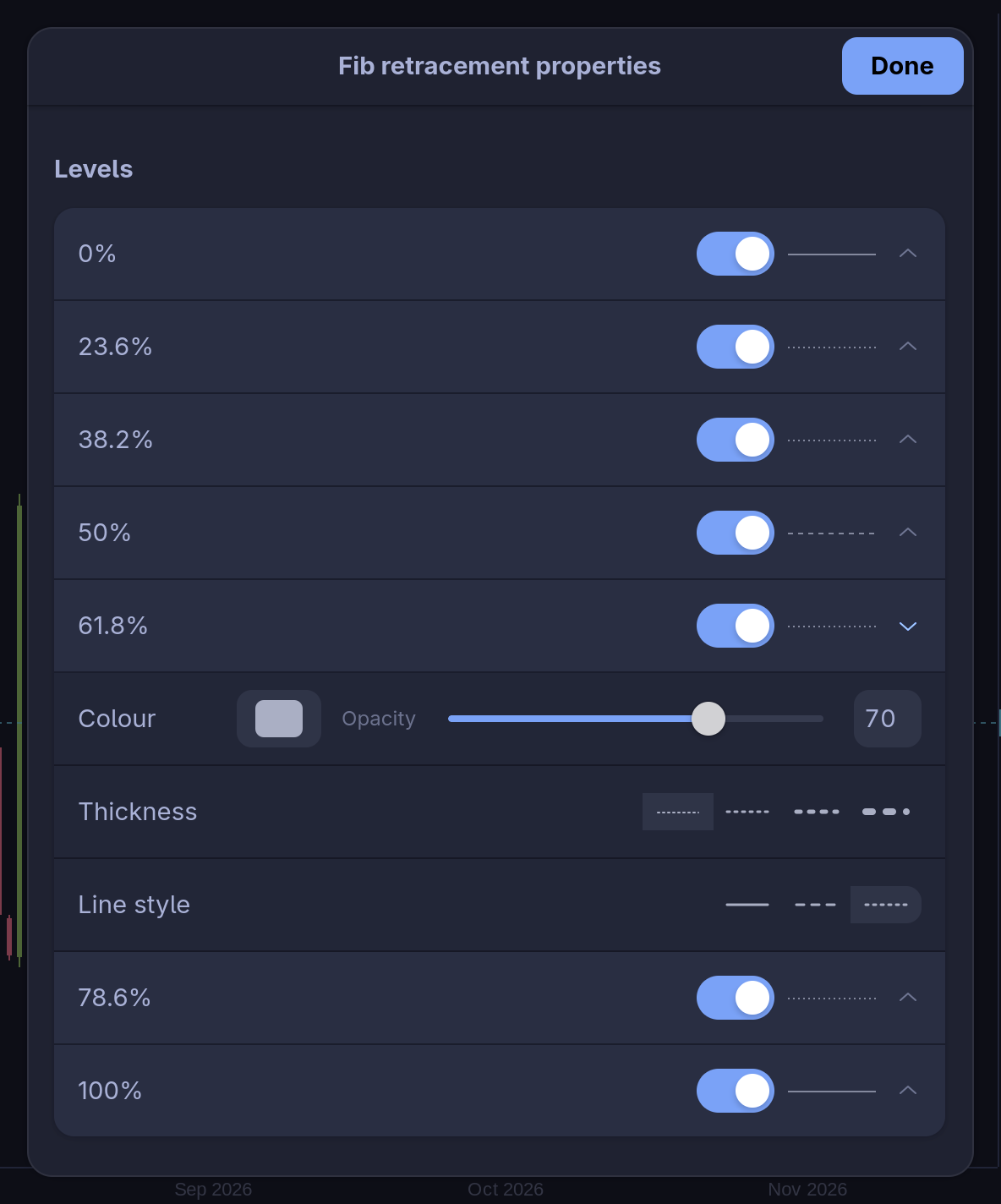
One row a level, 0% to 100%, each with a switch that shows or hides that level and a picture of how it is drawn. Click a row to open it on three properties of its own.
| Property | What it does | Default |
|---|---|---|
| Colour | The level’s own colour. Default, first in its palette, goes back to the drawing’s, which the level then follows. Its Opacity is how solid the level is drawn | The drawing’s, at its opacity |
| Thickness | No line, 1, 1.5, 2.5 or 4 px, picked from drawn samples. No line keeps the level’s label without its line | 1 px |
| Line style | Solid, Dashed or Dotted | Solid for 0% and 100%; dashed for 50%; dotted for the rest |
Thickness in the drawing’s menu, and Alt + Shift + + / −, set every level at once.
Configurations
Its nine configurations are one colour each, with no fills. None is Up or Down: a retracement is drawn over a move either way.
| Configuration | Is |
|---|---|
| 1 | Ink, 1 px, with 0% and 100% solid, 50% dashed and the rest dotted. Drawn soft, as a light grey on a dark theme and a mid grey on a light one |
| 2 | Ink, every level a solid 1 px line |
| 3 to 8 | Blue, Amber, Violet, Teal, Orange and Cyan, every level solid |
| 9 | Ink, without 23.6% and 78.6% |
Every property is part of the configuration, so Save as… keeps each level’s colour, thickness and line style, and whether it is shown (Configurations).