
Chartbook templates
In this chapter
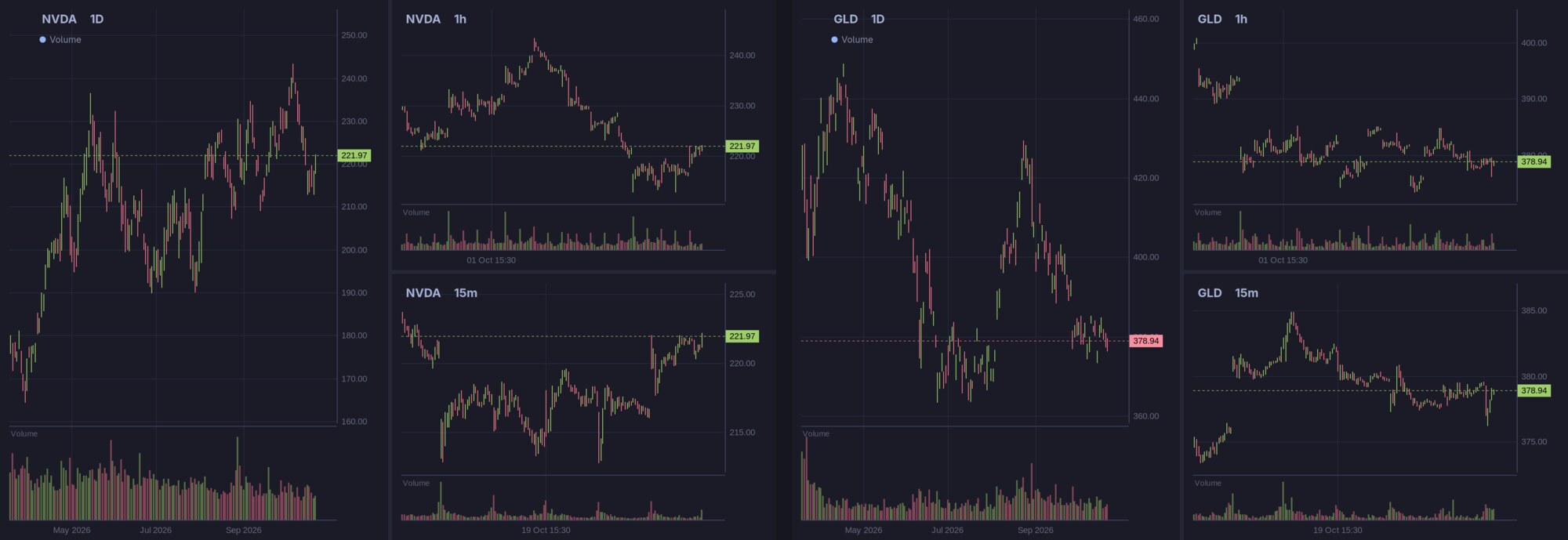
A chartbook template is a saved arrangement of charts under a name. It holds the splits, where the dividers sit, and each chart’s resolution and chart template, or its own indicators when it has none, and the markets it compares. Put several chartbooks on the same template and they all have that arrangement. Change the arrangement in any one of them and the others follow. Symbols and link modes are not part of a template; each chartbook keeps its own.
Creating a template
- Arrange a chartbook the way you want: split it, set each chart’s resolution and indicators.
- Right-click its tab in the chartbook strip and choose Template › Save as New Template….
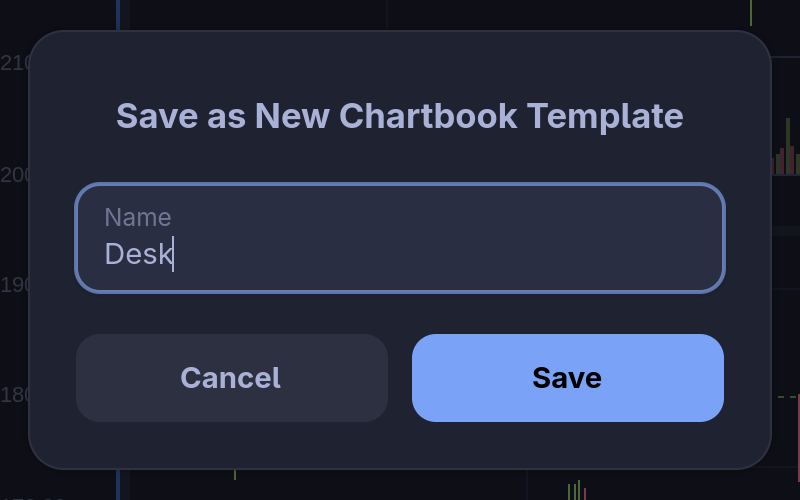
- Type a name and click Save. The chartbook is now on the template.
- Put another chartbook on it from its tab’s Template menu (Putting a chartbook on a template).
The Template menu
Right-click a chartbook tab and open Template (Chartbooks).
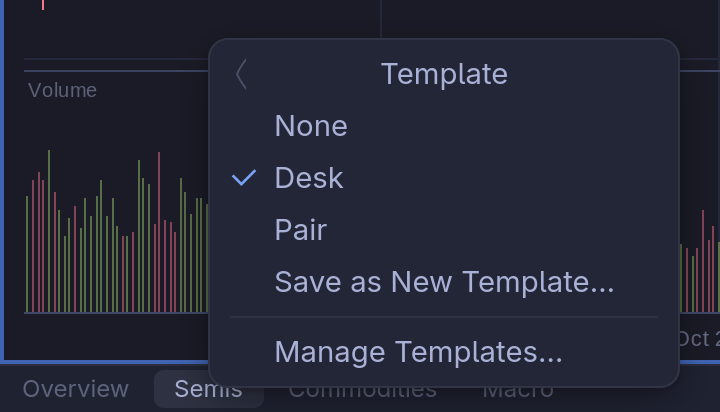
| Item | Does |
|---|---|
| None | Takes the chartbook off its template. It keeps what it has. |
| A template | Puts the chartbook on it, asking first when that would lose an arrangement no template holds. The one it is on is marked. |
| Save as New Template… | Asks for a name, saves the chartbook’s arrangement as a new template, and puts the chartbook on it. |
| Manage Templates… | Every template, to rename or delete. |
The New chartbook dialog has a Template row once a template exists, so a chartbook can start on one (Chartbooks).
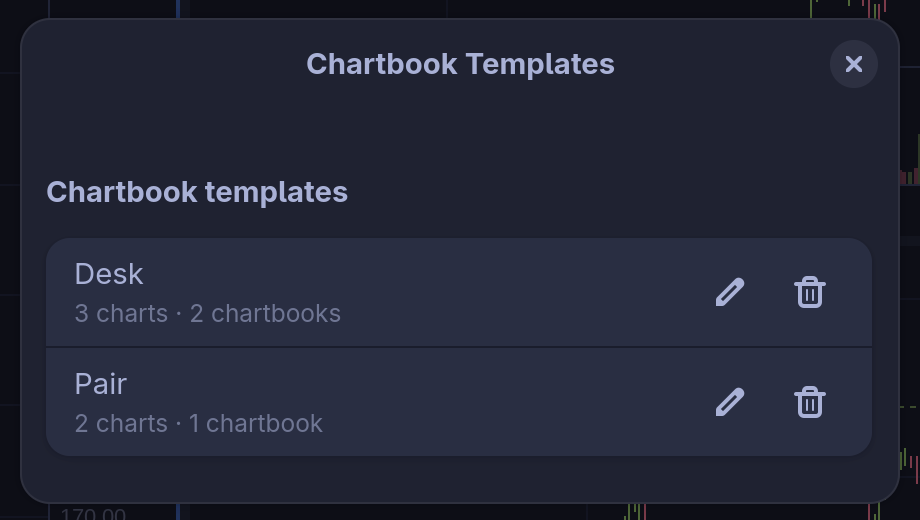
The pencil renames a template. The chartbooks on it stay on it. The bin deletes it, after saying how many chartbooks use it. Those chartbooks keep their arrangement and indicators and stop following. A new template with the same name does not put them back on it.
Putting a chartbook on a template
A chartbook put on a template keeps its symbols and link modes, chart by chart (the first chart keeps the first chart’s symbol, and so on). When the template has more charts than the chartbook, each extra chart is a copy of the chart beside it (or of the focused chart), with no drawings. Charts past the template’s last one are removed, with their drawings. A maximised chart is restored.
When no template holds the arrangement being replaced, a dialog asks first, This chartbook’s layout and indicators will be replaced by “Desk”. Its charts keep their symbols., naming the charts that would go, with Cancel and Replace Layout.
Changing a template
Splitting or closing a chart, dragging a divider, or changing a chart’s resolution, indicators or chart template in one chartbook on the template changes it in all of them. A chart added in one appears beside the same chart in the others.