
Screenshots
In this chapter
A screenshot is a picture of a chart or chartbook, without the buttons. It goes to the clipboard, and a PNG is saved as well unless you turn that off.
Taking one
| Key or menu | Takes |
|---|---|
| Ctrl + O | The focused chart |
| Ctrl + Alt + O | The open chartbook: every chart, as laid out, with the dividers between them |
| The chart menu’s Take screenshot | The chart right-clicked |
| A chartbook tab’s menu, Take screenshot | That chartbook, which the right-click has already opened |
Taking one changes nothing on screen. A desktop notification says Chart screenshot copied (or Chartbook screenshot copied) with Also saved to and the file, or Ready to paste when no file is kept. When the file cannot be written, the picture is still on the clipboard and the notification says why it was not saved.
What the picture shows
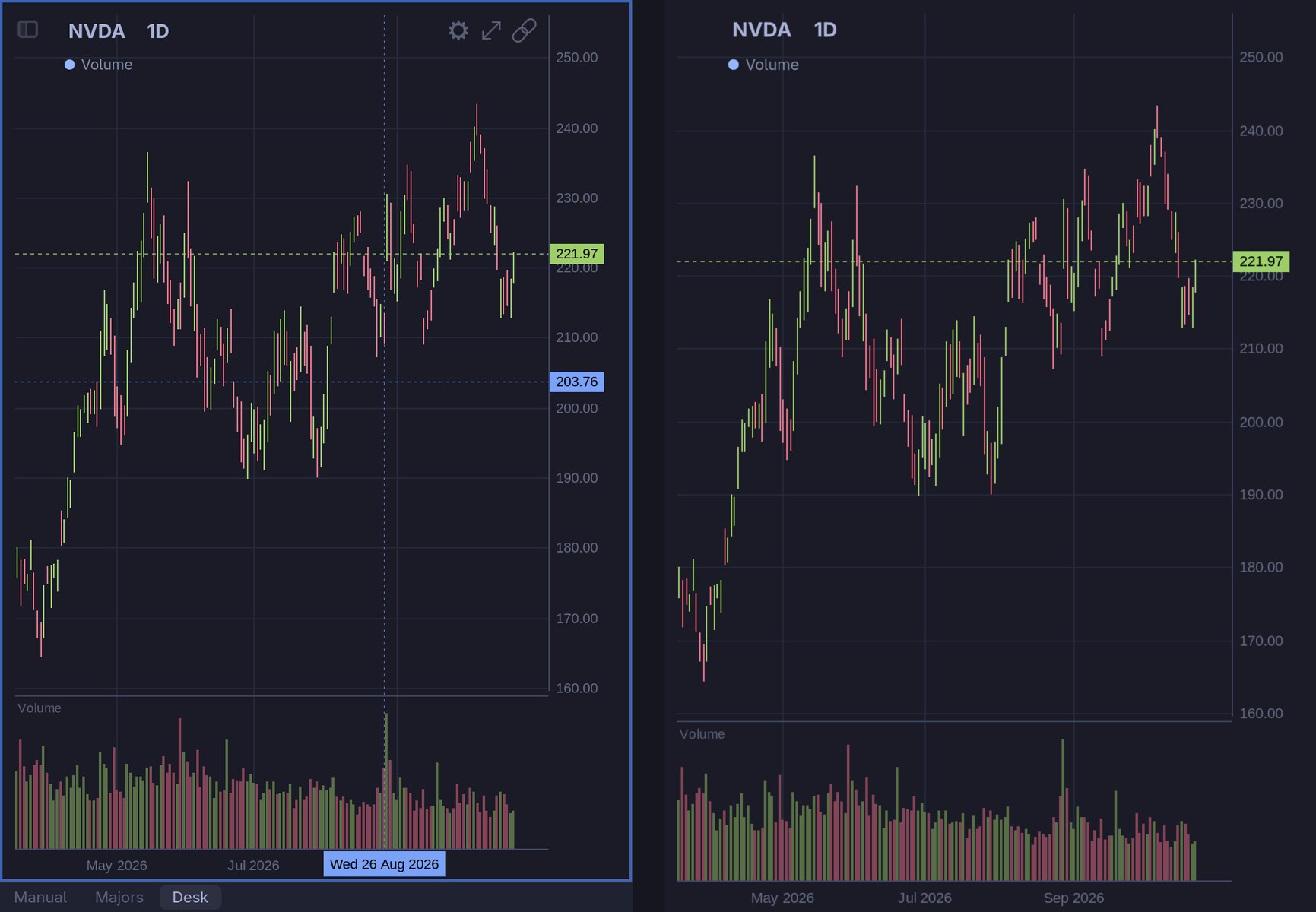
| Kept | Left out |
|---|---|
| The bars, the price and time axes, the gridlines | The resolution strip (the resolution stays, in the header) |
| The header: symbol, resolution and whatever else it shows | The gear, the link button and the Maximize button |
| The indicator legend and every indicator | The buttons on an indicator’s legend row and strip |
| The last-price tag | The crosshair and its tags |
| Drawings | The focus ring, the sidebar, the drawing tools, the chartbook strip and the window’s own corners |
The picture has the size of the chart on screen, in screen pixels. A maximised chart fills the whole picture.
Where it goes
The PNG goes to the folder under Save to in Preferences. The default is <Pictures>/Omacharts, that is ~/Pictures/Omacharts unless your pictures folder is elsewhere. The folder is created with the first screenshot.
Files are named for what they show and when, in local time:
| Of | Named |
|---|---|
| A chart | SYMBOL-RESOLUTION-YYYYMMDD-HHMMSS.png, as NVDA-1h-20261004-143012.png |
| A chartbook | NAME-YYYYMMDD-HHMMSS.png, as Macro-20261004-143012.png |
Characters that cannot be in a file name become a dash, so ^GSPC gives GSPC-…. A name already taken in the folder gets -2, -3 and so on rather than being overwritten.
The copy on the clipboard is gone when Omacharts quits, unless a clipboard manager keeps it.
Preferences
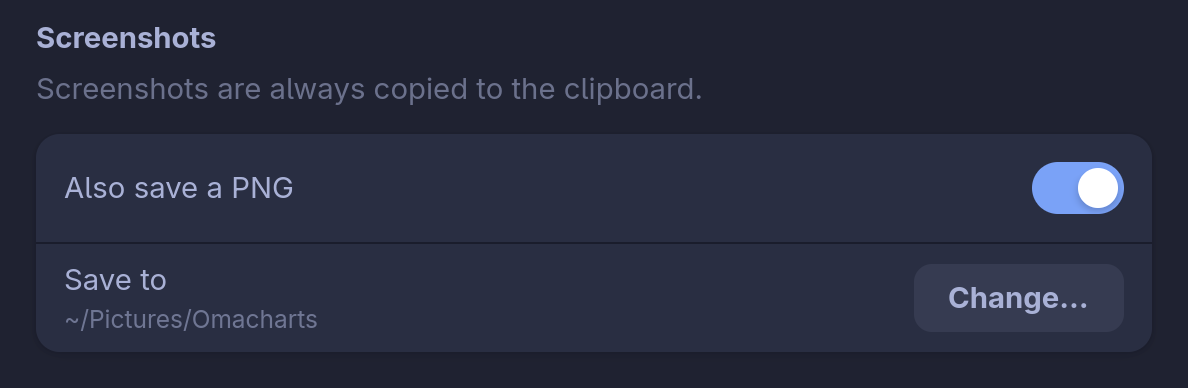
Preferences › General › Screenshots:
| Row | Does |
|---|---|
| Also save a PNG | On by default. Off, screenshots are only copied, and Save to is greyed out but still shows where a file would go |
| Save to › Change… | Opens a folder chooser. Clicking the row does the same. Choosing <Pictures>/Omacharts restores the default, which then follows the pictures folder if it moves |